
↵Open
Teachino changelog
Set answer attempts, turn feedback on and off & test AI feedback
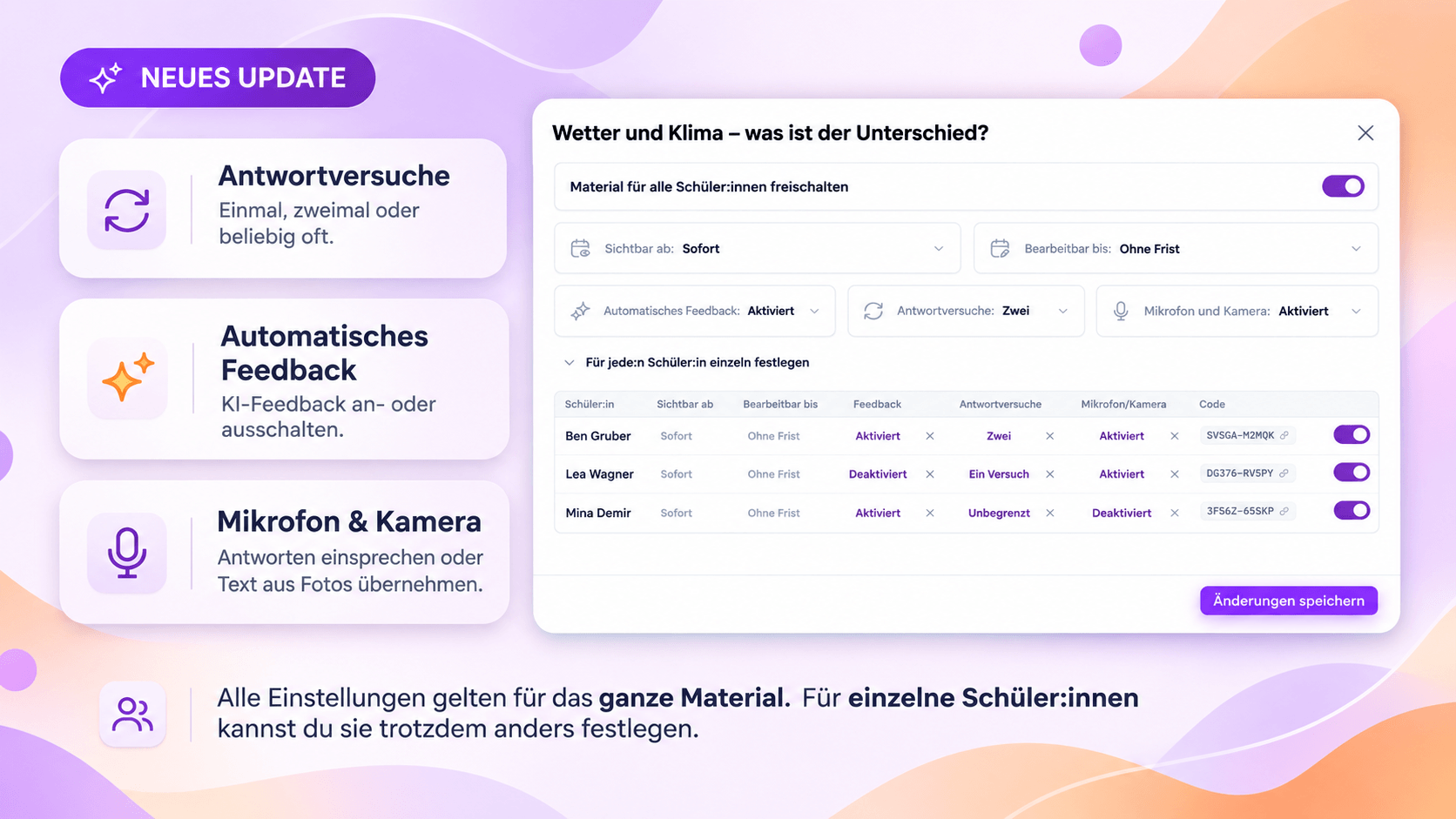
With our new update, you decide for yourself how your students work with a material when you hand it out or unlock it.
🔁 Answer attempts: Set how often your students may answer each task: once, twice, or as often as they like.
✨ Automatic feedback: You decide whether your students get AI feedback after submitting and see whether their solution is correct. If you turn it off, they only see "Submitted". They still see your own comments.
🎙️ Microphone and camera: You decide whether your students may speak their answers or take text from photos.
👤 All settings apply to the whole material. You can still set them differently for individual students, for example if one student should get a second attempt. You can find them when unlocking or later under "Hand out" → "Change".
AI feedback is a learning aid: Your students should be able to use it to improve their answer. Under the EU AI Act, it is not meant for assessing performance. If you allow only one attempt and keep automatic feedback turned on, Teachino therefore shows you this notice:
"AI feedback can contain errors and must not be used to assess performance. Teachino recommends allowing several attempts or turning off AI feedback."
🤖 Unlocking with the AI assistant: You can now also simply unlock materials through the AI assistant, for example with "Unlock the material for the whole class from next Monday". The AI assistant prepares the release, you check it and confirm.
We show you exactly how everything works step by step in the help center.
Another improvement:
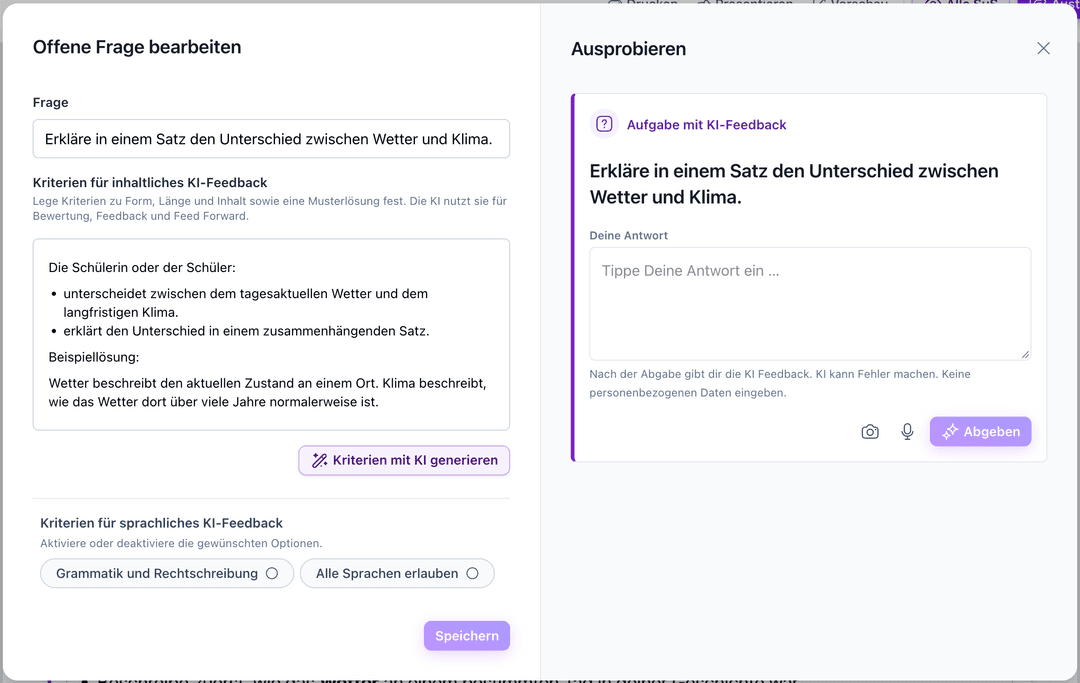
🧪 Test AI feedback even better: "Edit & try out" on an open question now opens a new window. On the left you adjust the criteria for content-based AI feedback, on the right you try out right away what feedback an answer gets. That way you see immediately whether your changes work, before you hand out the material.
Have fun! 💜🧡